

How to change your cPanel password
1.) Login to your Insty Client area: https://my.insty.hosting/client
2.) Select the Hosting account from the 'Your Insty hosting accounts' panel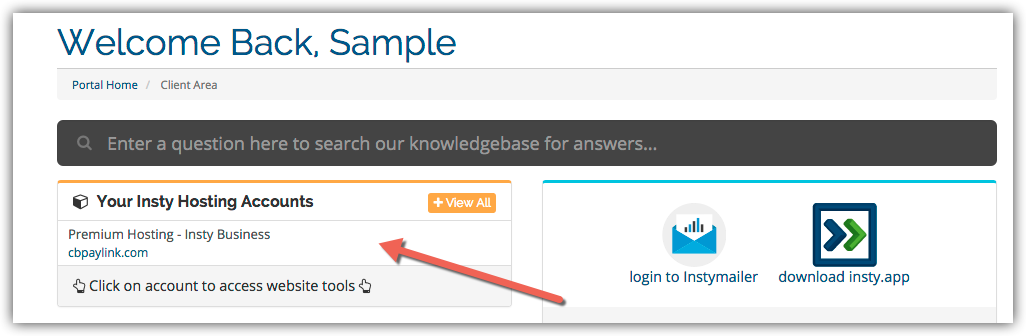
3.) In the Site tools screen, click the 'Change Password' link on the left menu.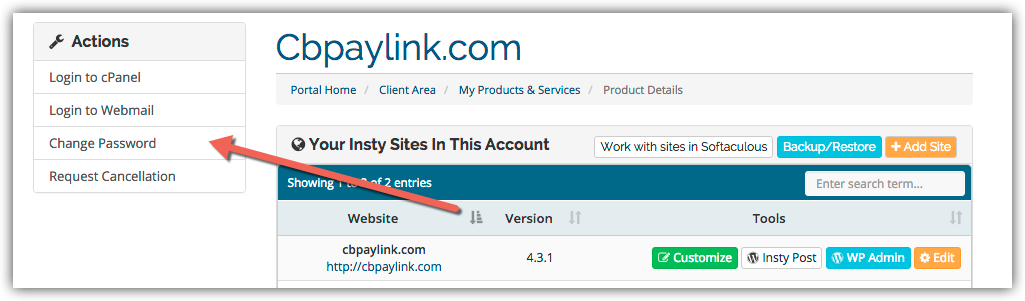
4.) The screen will scroll to the bottom. Fill in the new password, confirm and then click Save.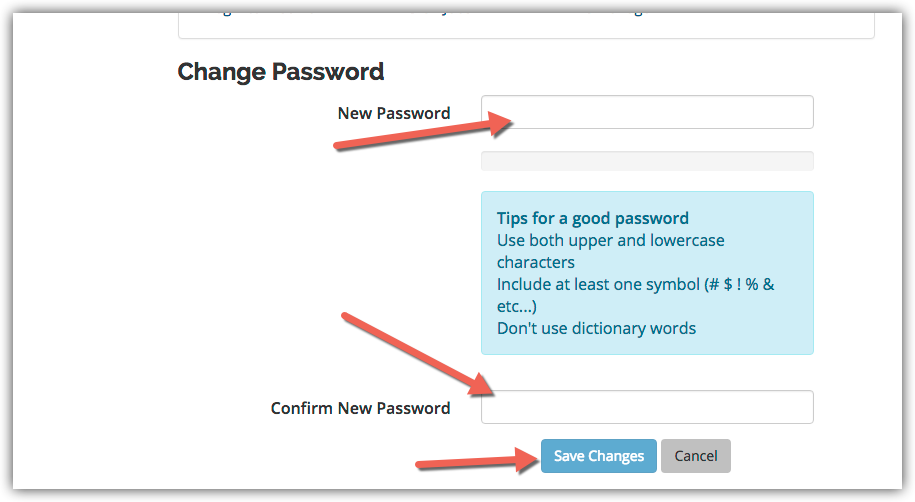
База знань
Changing Your Password in cPanel
- 3 Користувачі, які знайшли це корисним
Ця відповідь Вам допомогла?
Схожі статті
Logging into cPanel
Logging into cPanel
Setup Email Filters in cPanel
Setup Email Filters in cPanel
Using The Index Manager in cPanel
Using The Index Manager in cPanel
Adding an MX Entry in cPanel
Adding an MX Entry in cPanel
Park a Domain in cPanel
Park a Domain in cPanel