

How to change your cPanel password
1.) Login to your Insty Client area: https://my.insty.hosting/client
2.) Select the Hosting account from the 'Your Insty hosting accounts' panel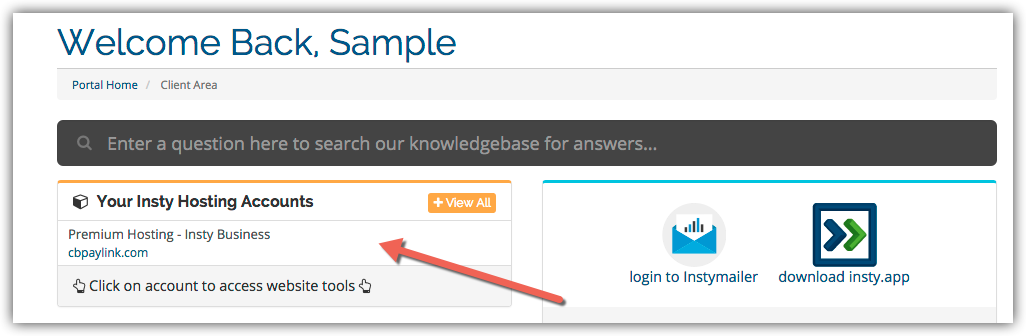
3.) In the Site tools screen, click the 'Change Password' link on the left menu.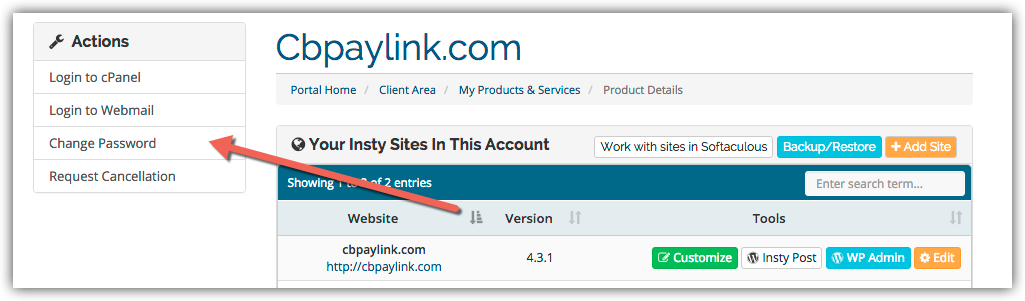
4.) The screen will scroll to the bottom. Fill in the new password, confirm and then click Save.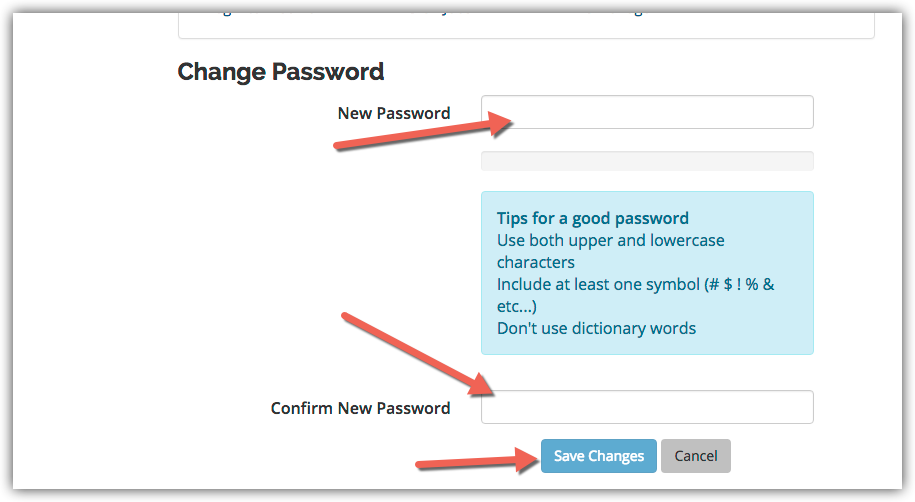
Hjälpcentral
Changing Your Password in cPanel
- 3 användare blev hjälpta av detta svar
Hjälpte svaret dig?
Relaterade artiklar
Setup Email Filters in cPanel
Setup Email Filters in cPanel
Setup a Cron Job in cPanel
Setup a Cron Job in cPanel
Enable Spam Protection in cPanel
Enable Spam Protection in cPanel
Creating Additional FTP Accounts in cPanel
Creating Additional FTP Accounts in cPanel
Using The IP Deny Manager in cPanel
Using The IP Deny Manager in cPanel