

How to change your cPanel password
1.) Login to your Insty Client area: https://my.insty.hosting/client
2.) Select the Hosting account from the 'Your Insty hosting accounts' panel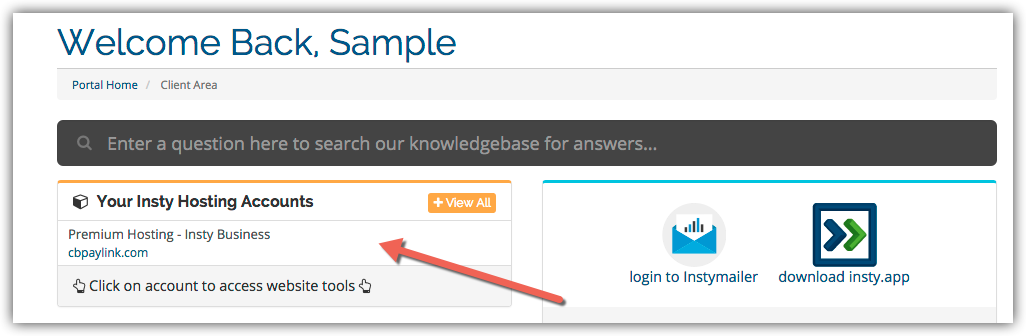
3.) In the Site tools screen, click the 'Change Password' link on the left menu.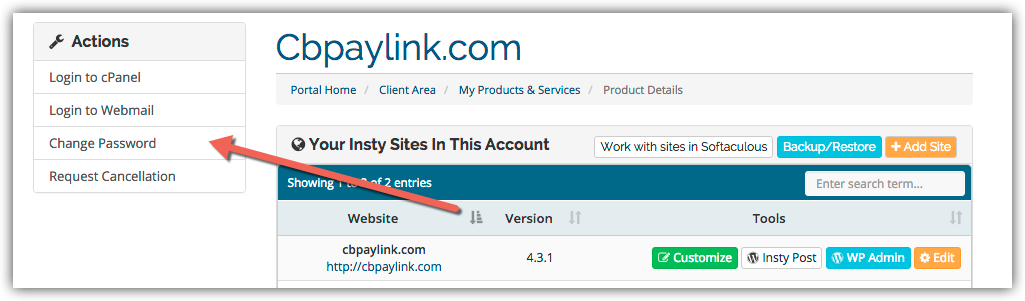
4.) The screen will scroll to the bottom. Fill in the new password, confirm and then click Save.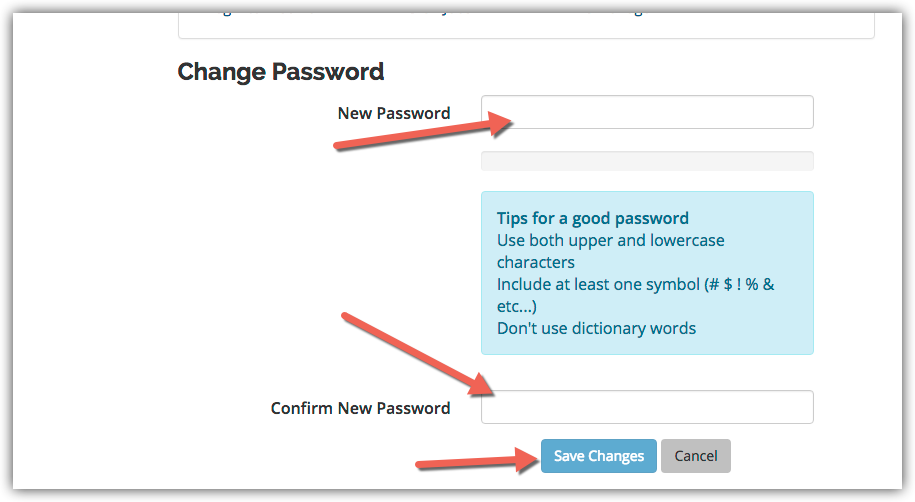
Preguntas Frecuentes - FAQ
Changing Your Password in cPanel
- 3 Los Usuarios han Encontrado Esto Útil
¿Fue útil la respuesta?
Artículos Relacionados
Adding an MX Entry in cPanel
Adding an MX Entry in cPanel
Setup Email Forwarding in cPanel
Setup Email Forwarding in cPanel
Setup Domain Redirects in cPanel
Setup Domain Redirects in cPanel
Creating a POP Email Account in cPanel
Creating a POP Email Account in cPanel
Creating Additional FTP Accounts in cPanel
Creating Additional FTP Accounts in cPanel