

How to change your cPanel password
1.) Login to your Insty Client area: https://my.insty.hosting/client
2.) Select the Hosting account from the 'Your Insty hosting accounts' panel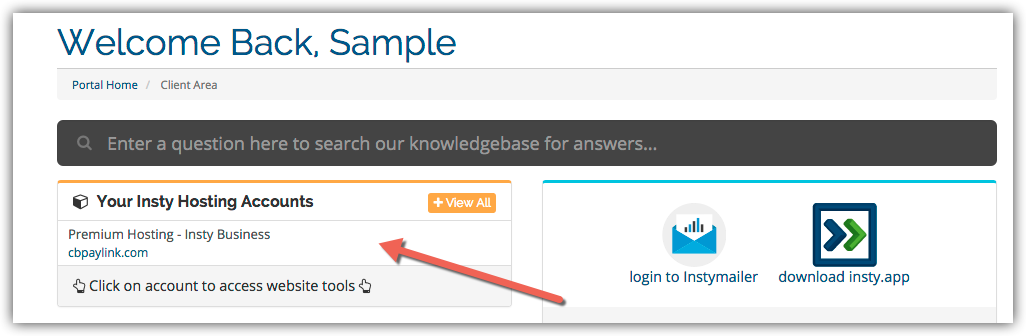
3.) In the Site tools screen, click the 'Change Password' link on the left menu.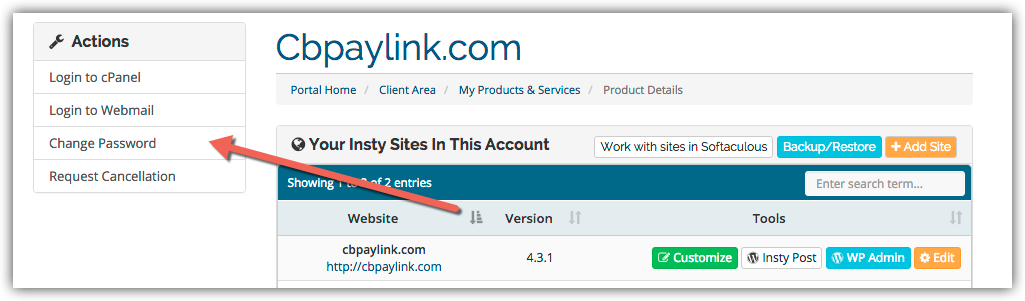
4.) The screen will scroll to the bottom. Fill in the new password, confirm and then click Save.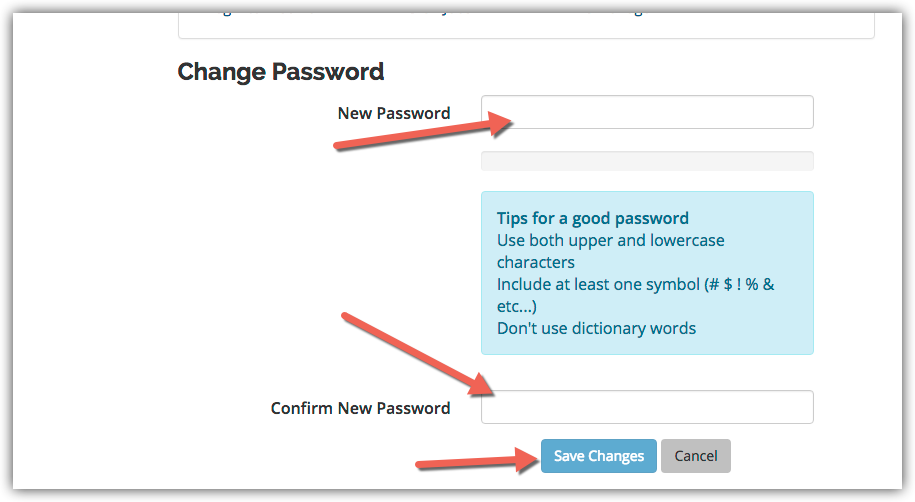
Biblioteca de cunoștințe
Changing Your Password in cPanel
- 3 utilizatori au considerat informaţia utilă
Răspunsul a fost util?
Articole similare
Setup Hotlink Protection in cPanel
Setup Hotlink Protection in cPanel
Easy Install of Wordpress using Softaculous
Installing Wordpress on your add-on or subdomains inside your cPanel using Softaculous.
Using The Index Manager in cPanel
Using The Index Manager in cPanel
Changing Your cPanel Style
Changing Your cPanel Style
Setup Email Forwarding in cPanel
Setup Email Forwarding in cPanel