

How to change your cPanel password
1.) Login to your Insty Client area: https://my.insty.hosting/client
2.) Select the Hosting account from the 'Your Insty hosting accounts' panel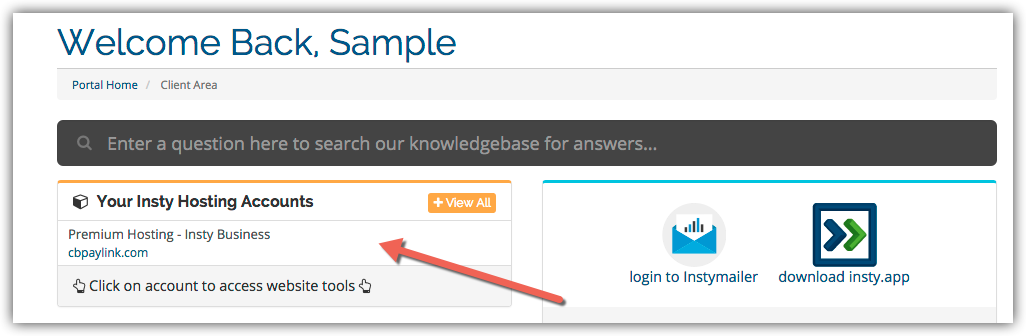
3.) In the Site tools screen, click the 'Change Password' link on the left menu.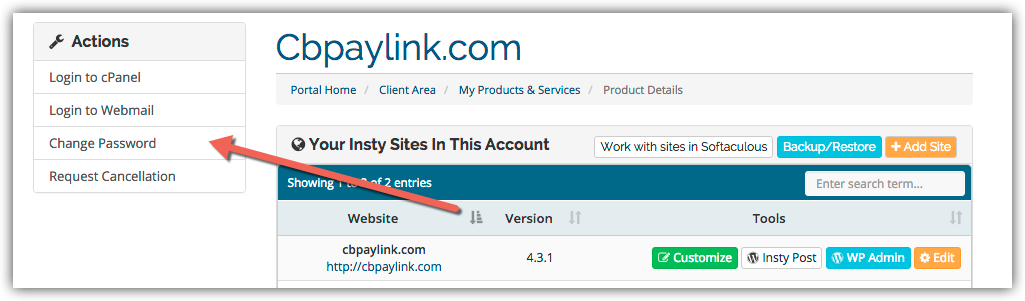
4.) The screen will scroll to the bottom. Fill in the new password, confirm and then click Save.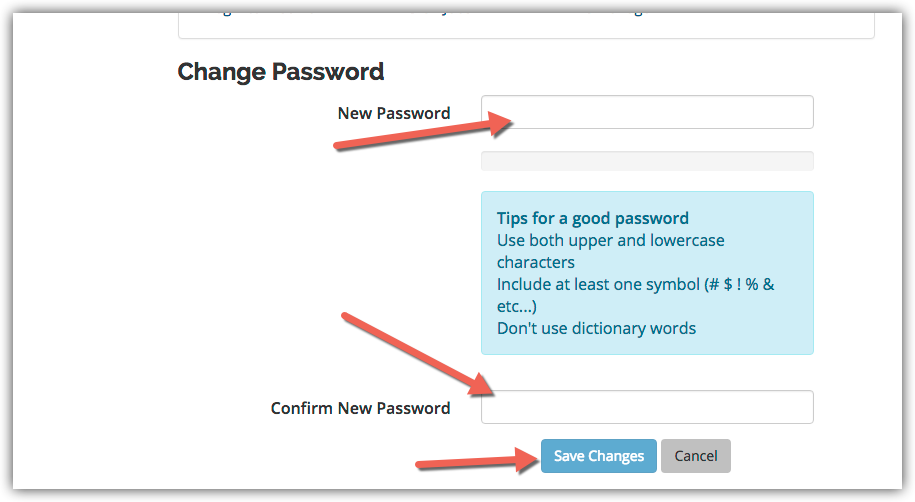
Kunnskapsbase
Changing Your Password in cPanel
- 3 brukere syntes dette svaret var til hjelp
Var dette svaret til hjelp?
Relaterte artikler
Creating an Addon Domain in cPanel
Creating an Addon Domain in cPanel
Adding an MX Entry in cPanel
Adding an MX Entry in cPanel
How to Update SMTP server information in Mac Mail
In the Mail app, go to Mail -> Preferences in the top screen menu. Then click on the...
Enabling Website Compression for Performance
Compression is a simple, effective way to save bandwidth and speed up your site.Login to cPanel...
Using Webmail from within cPanel
Using Webmail from within cPanel