

How to change your cPanel password
1.) Login to your Insty Client area: https://my.insty.hosting/client
2.) Select the Hosting account from the 'Your Insty hosting accounts' panel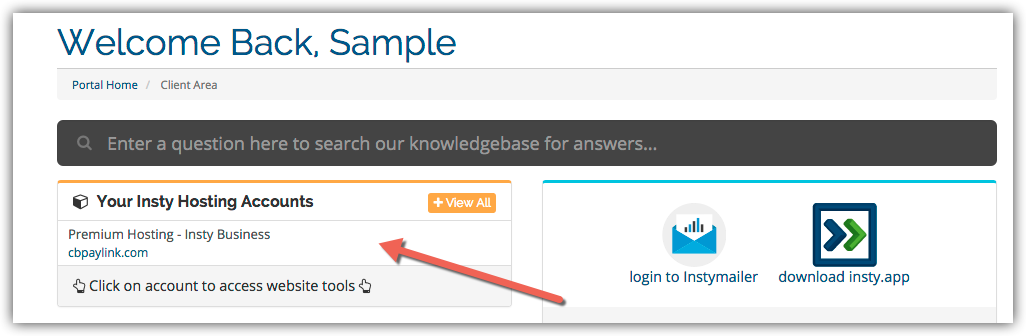
3.) In the Site tools screen, click the 'Change Password' link on the left menu.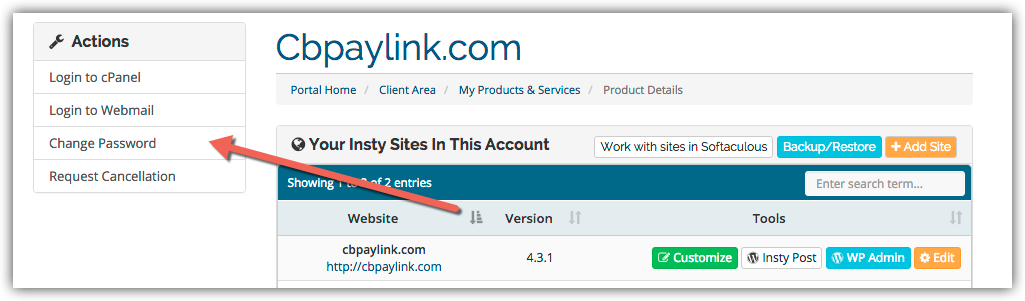
4.) The screen will scroll to the bottom. Fill in the new password, confirm and then click Save.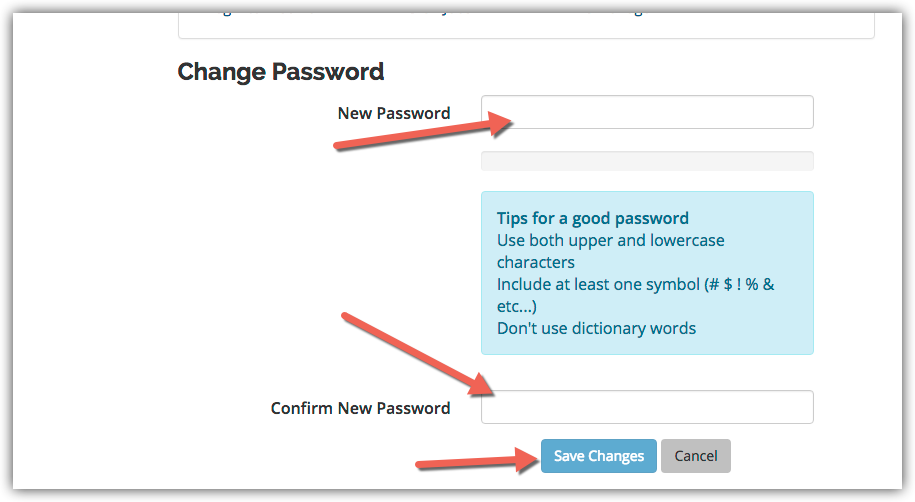
База на знаења
Changing Your Password in cPanel
- 3 Корисниците го најдоа ова како корисно
Дали Ви помогна овој одговор?
Понудени резултати
Using The Index Manager in cPanel
Using The Index Manager in cPanel
Easy Install of Wordpress using Softaculous
Installing Wordpress on your add-on or subdomains inside your cPanel using Softaculous.
Setup a Cron Job in cPanel
Setup a Cron Job in cPanel
Update Your Contact Information in cPanel
Updating Your Contact Information in cPanel
Creating an Addon Domain in cPanel
Creating an Addon Domain in cPanel