

How to change your cPanel password
1.) Login to your Insty Client area: https://my.insty.hosting/client
2.) Select the Hosting account from the 'Your Insty hosting accounts' panel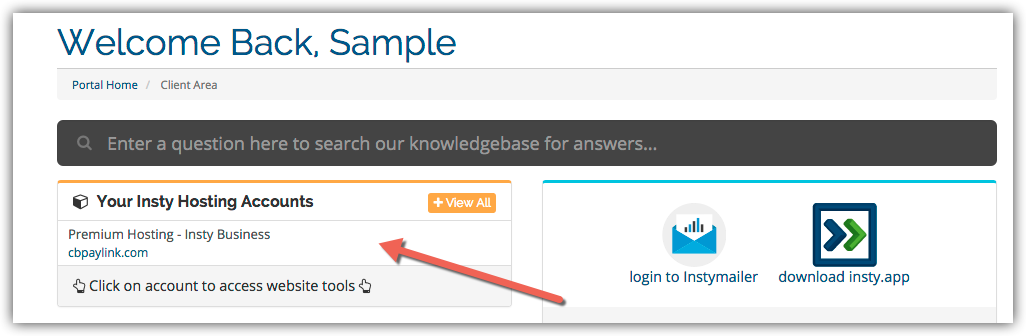
3.) In the Site tools screen, click the 'Change Password' link on the left menu.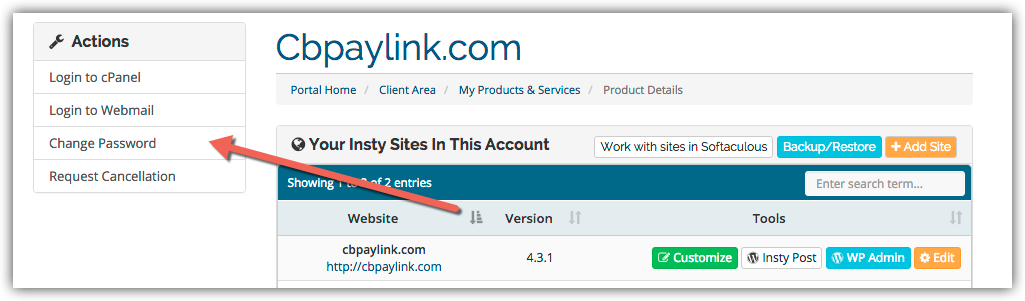
4.) The screen will scroll to the bottom. Fill in the new password, confirm and then click Save.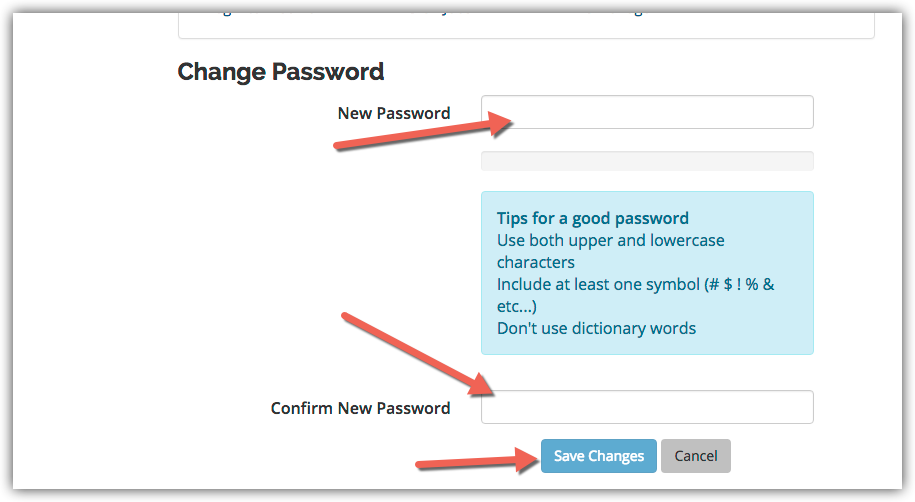
Archivio Domande
Changing Your Password in cPanel
- 3 Utenti hanno trovato utile questa risposta
Hai trovato utile questa risposta?
Articoli Correlati
Using the Disk Space Usage Tool in cPanel
Using the Disk Space Usage Tool in cPanel
Setup a Cron Job in cPanel
Setup a Cron Job in cPanel
Setup Desktop Shortcuts for cPanel
Setup Desktop Shortcuts for cPanel
Creating a Subdomain in cPanel
Creating a Subdomain in cPanel
Creating Additional FTP Accounts in cPanel
Creating Additional FTP Accounts in cPanel