

How to change your cPanel password
1.) Login to your Insty Client area: https://my.insty.hosting/client
2.) Select the Hosting account from the 'Your Insty hosting accounts' panel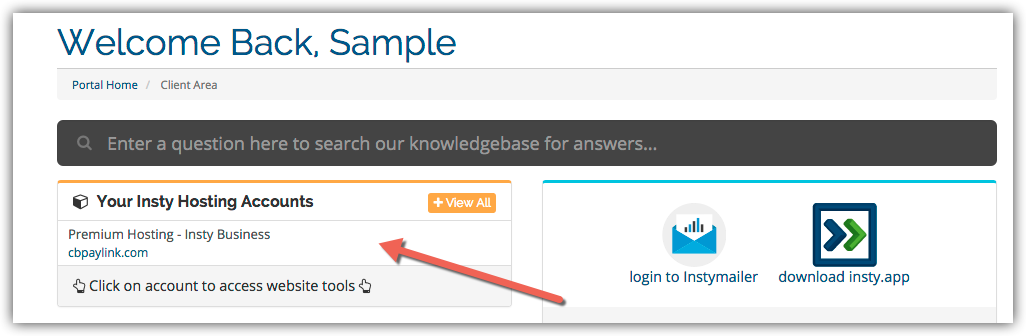
3.) In the Site tools screen, click the 'Change Password' link on the left menu.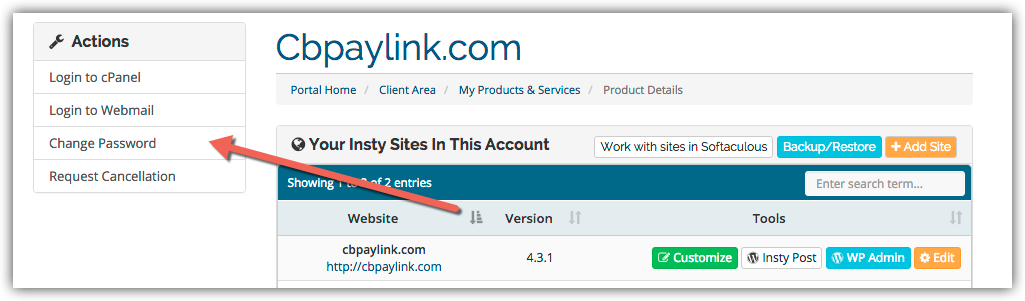
4.) The screen will scroll to the bottom. Fill in the new password, confirm and then click Save.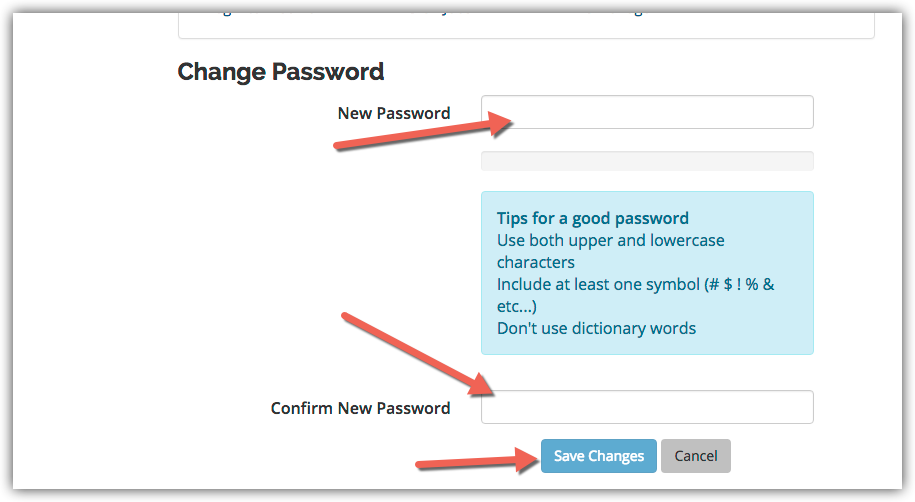
מאגר מידע
Changing Your Password in cPanel
- 3 משתמשים שמצאו מאמר זה מועיל
?האם התשובה שקיבלתם הייתה מועילה
מאמרים קשורים
Easy Install of Wordpress using Softaculous
Installing Wordpress on your add-on or subdomains inside your cPanel using Softaculous.
How to Update SMTP server information in Mac Mail
In the Mail app, go to Mail -> Preferences in the top screen menu. Then click on the...
Setting Your Default Address in cPanel
Setting Your Default Address in cPanel
Using The Index Manager in cPanel
Using The Index Manager in cPanel
Setup an Autoresponder in cPanel
Setup an Autoresponder in cPanel