

How to change your cPanel password
1.) Login to your Insty Client area: https://my.insty.hosting/client
2.) Select the Hosting account from the 'Your Insty hosting accounts' panel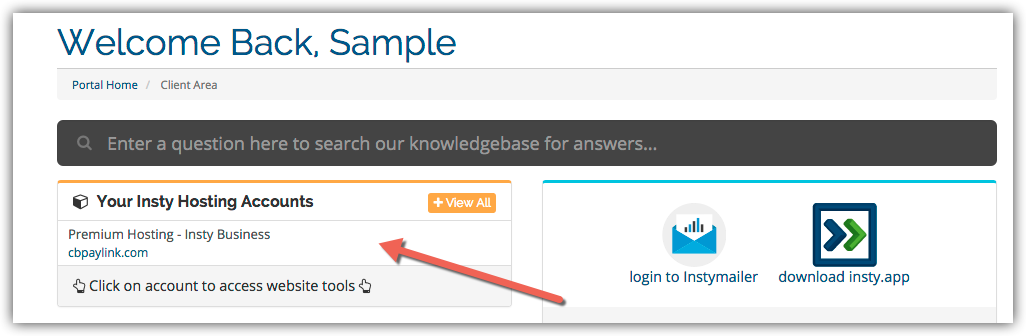
3.) In the Site tools screen, click the 'Change Password' link on the left menu.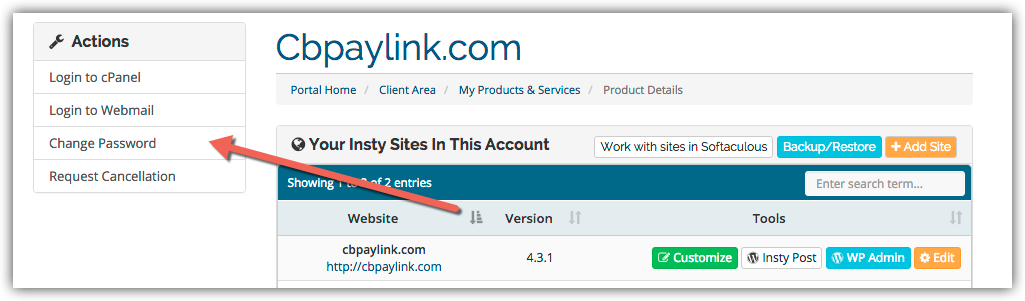
4.) The screen will scroll to the bottom. Fill in the new password, confirm and then click Save.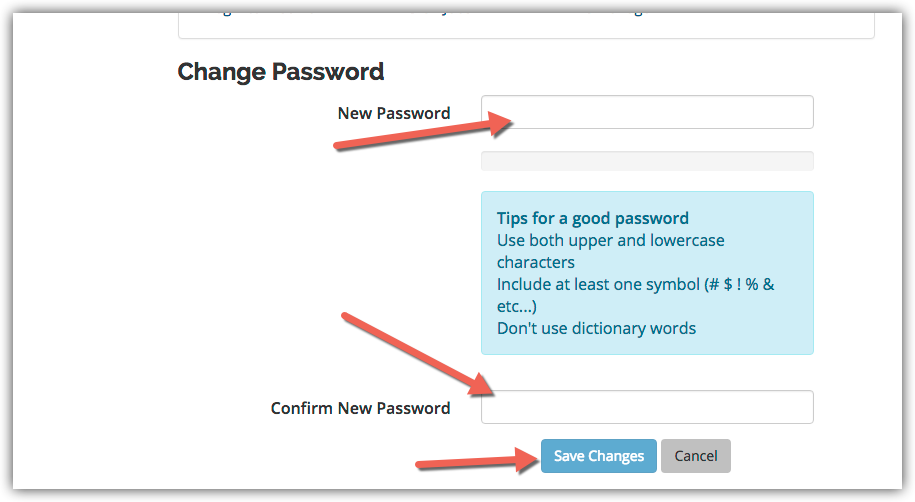
Wissensdatenbank
Changing Your Password in cPanel
- 3 Benutzer fanden dies hilfreich
War diese Antwort hilfreich?
Verwandte Artikel
Using The Index Manager in cPanel
Using The Index Manager in cPanel
Using File Manager in cPanel
Using File Manager in cPanel
View Your Website Stats in cPanel
View Your Website Stats in cPanel
Setup an Autoresponder in cPanel
Setup an Autoresponder in cPanel
How to Update SMTP server information in Mac Mail
In the Mail app, go to Mail -> Preferences in the top screen menu. Then click on the...