

How to change your cPanel password
1.) Login to your Insty Client area: https://my.insty.hosting/client
2.) Select the Hosting account from the 'Your Insty hosting accounts' panel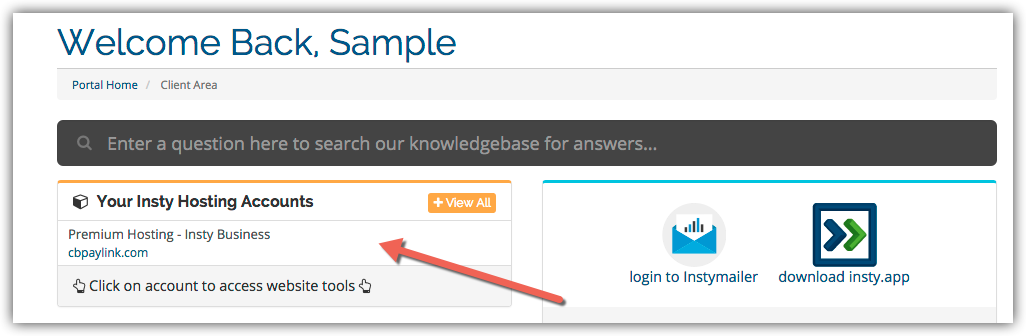
3.) In the Site tools screen, click the 'Change Password' link on the left menu.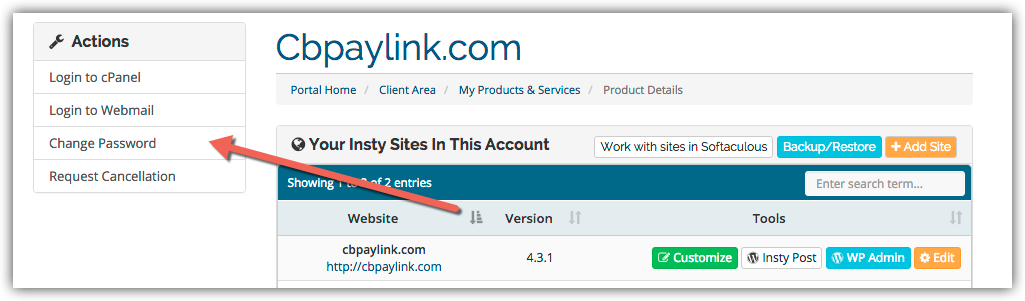
4.) The screen will scroll to the bottom. Fill in the new password, confirm and then click Save.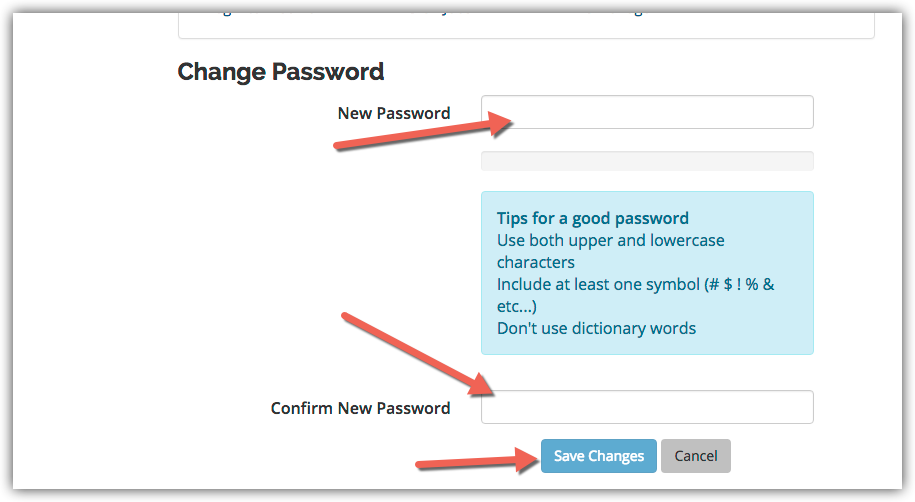
Base de connaissances
Changing Your Password in cPanel
- 3 Utilisateurs l'ont trouvée utile
Cette réponse était-elle pertinente?
Articles connexes
Setting Your Default Address in cPanel
Setting Your Default Address in cPanel
Using Webmail from within cPanel
Using Webmail from within cPanel
Enabling Website Compression for Performance
Compression is a simple, effective way to save bandwidth and speed up your site.Login to cPanel...
Using The Index Manager in cPanel
Using The Index Manager in cPanel
Password Protect a Directory in cPanel
Password Protect a Directory in cPanel