

How to change your cPanel password
1.) Login to your Insty Client area: https://my.insty.hosting/client
2.) Select the Hosting account from the 'Your Insty hosting accounts' panel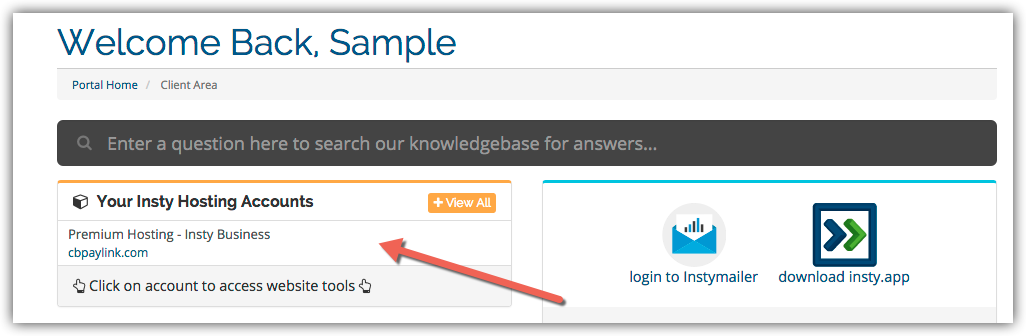
3.) In the Site tools screen, click the 'Change Password' link on the left menu.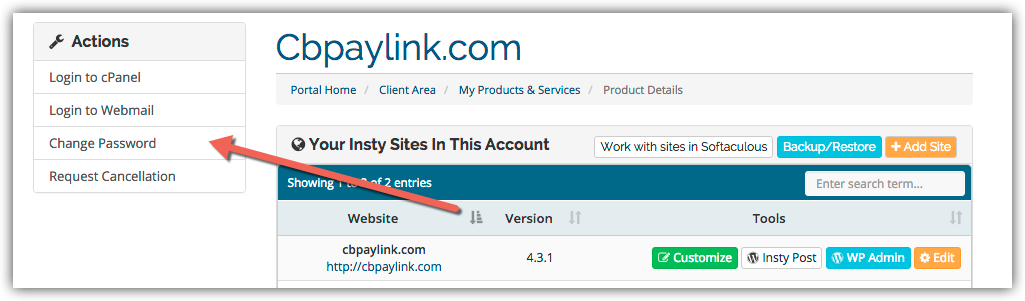
4.) The screen will scroll to the bottom. Fill in the new password, confirm and then click Save.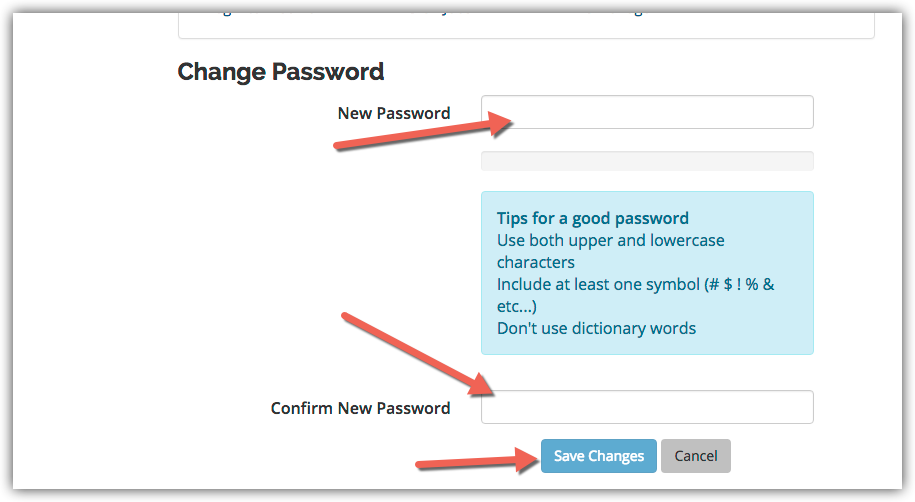
Kennisbank
Changing Your Password in cPanel
- 3 gebruikers vonden dit artikel nuttig
Was dit antwoord nuttig?
Gerelateerde artikelen
Adding an MX Entry in cPanel
Adding an MX Entry in cPanel
Logging into cPanel
Logging into cPanel
Easy Install of Wordpress using Softaculous
Installing Wordpress on your add-on or subdomains inside your cPanel using Softaculous.
Setup Domain Redirects in cPanel
Setup Domain Redirects in cPanel
Setting Your Default Address in cPanel
Setting Your Default Address in cPanel