

How to change your cPanel password
1.) Login to your Insty Client area: https://my.insty.hosting/client
2.) Select the Hosting account from the 'Your Insty hosting accounts' panel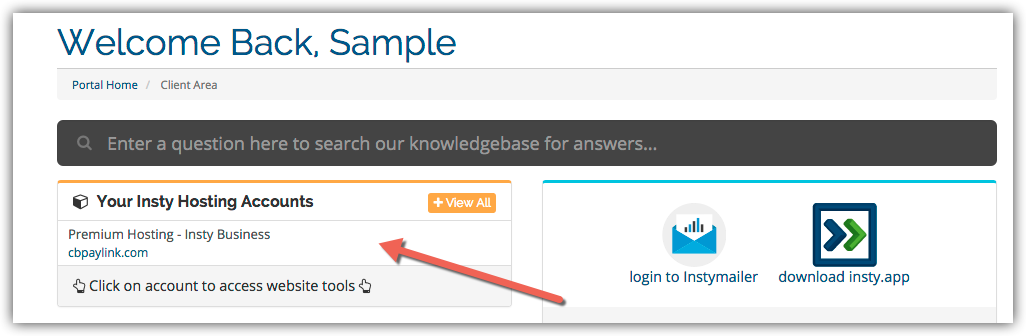
3.) In the Site tools screen, click the 'Change Password' link on the left menu.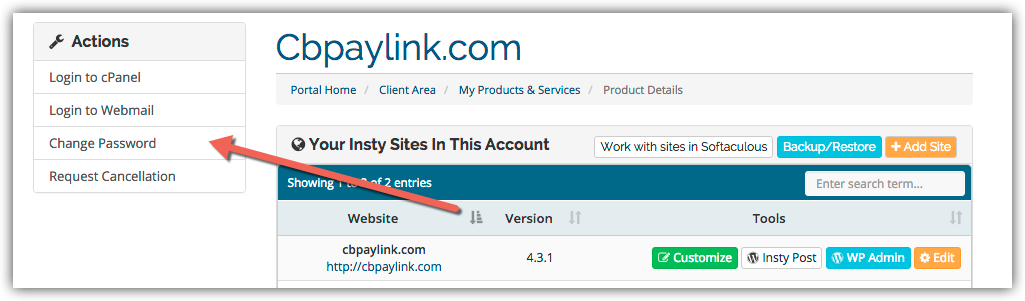
4.) The screen will scroll to the bottom. Fill in the new password, confirm and then click Save.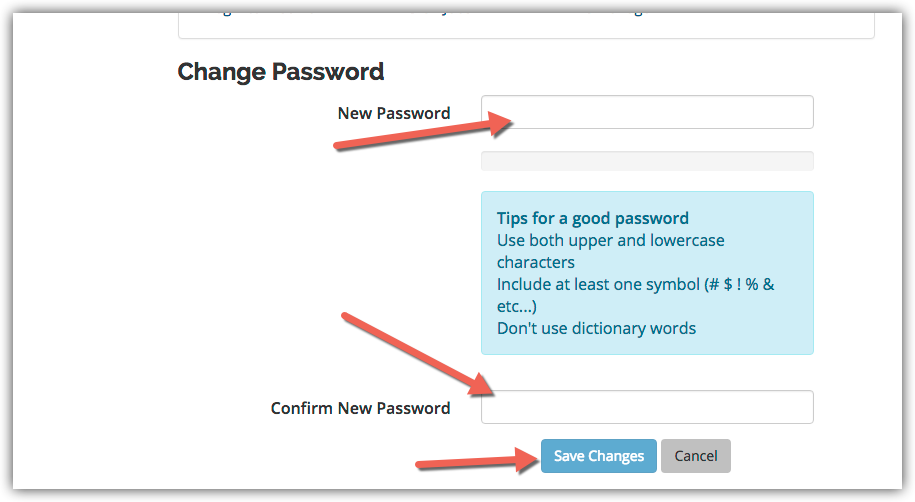
知識庫
Changing Your Password in cPanel
- 3 Users Found This Useful
這篇文章有幫助嗎?
相關文章
Enabling Website Compression for Performance
Compression is a simple, effective way to save bandwidth and speed up your site.Login to cPanel...
Creating a POP Email Account in cPanel
Creating a POP Email Account in cPanel
Creating a MySql Database in cPanel
Creating a MySql Database in cPanel
Backup Your Website in cPanel
Backup Your Website in cPanel
Easy Install of Wordpress using Softaculous
Installing Wordpress on your add-on or subdomains inside your cPanel using Softaculous.