

How to change your cPanel password
1.) Login to your Insty Client area: https://my.insty.hosting/client
2.) Select the Hosting account from the 'Your Insty hosting accounts' panel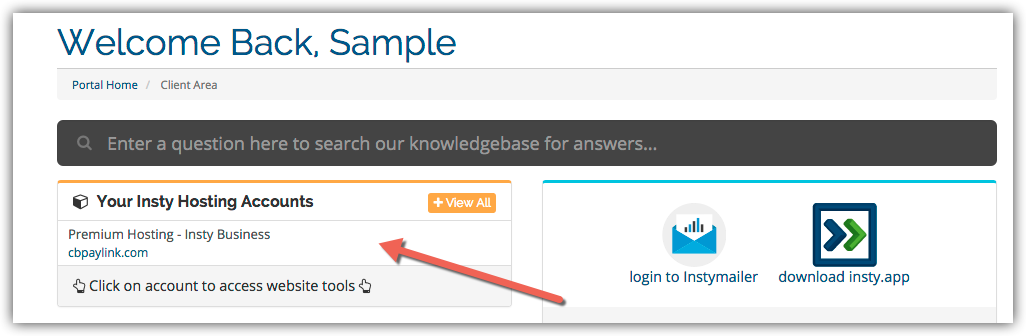
3.) In the Site tools screen, click the 'Change Password' link on the left menu.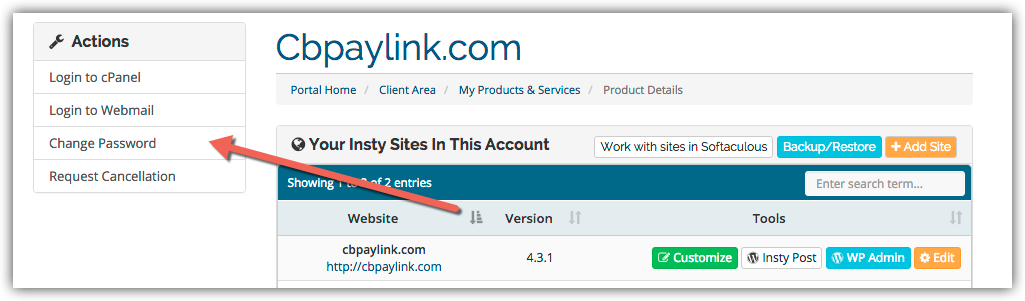
4.) The screen will scroll to the bottom. Fill in the new password, confirm and then click Save.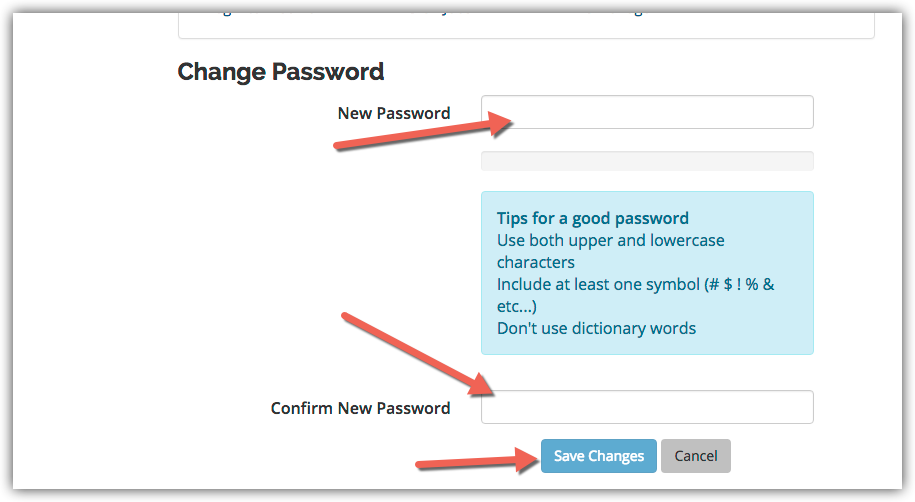
Məlumat bazası
Changing Your Password in cPanel
- 3 istifadəçi bunu faydalı hesab edir
Bu cavab sizə kömək etdi?
Uyğun məqalələr
Changing the Primary Language in cPanel
Changing the Primary Language in cPanel
Enabling Website Compression for Performance
Compression is a simple, effective way to save bandwidth and speed up your site.Login to cPanel...
Setup Hotlink Protection in cPanel
Setup Hotlink Protection in cPanel
Setup an Autoresponder in cPanel
Setup an Autoresponder in cPanel
Changing Your cPanel Style
Changing Your cPanel Style