

How to change your cPanel password
1.) Login to your Insty Client area: https://my.insty.hosting/client
2.) Select the Hosting account from the 'Your Insty hosting accounts' panel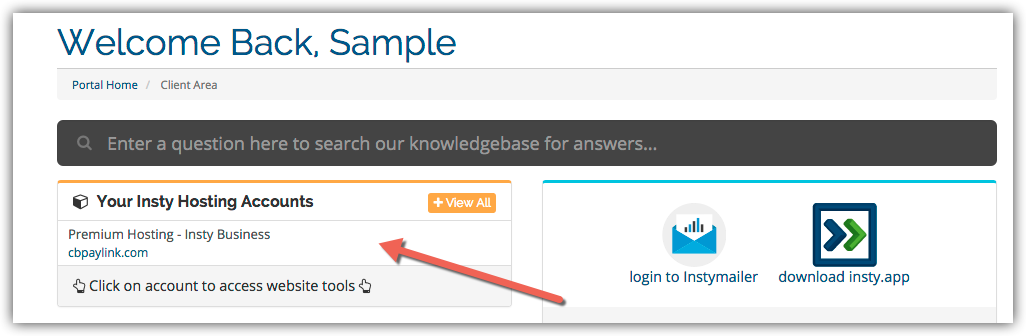
3.) In the Site tools screen, click the 'Change Password' link on the left menu.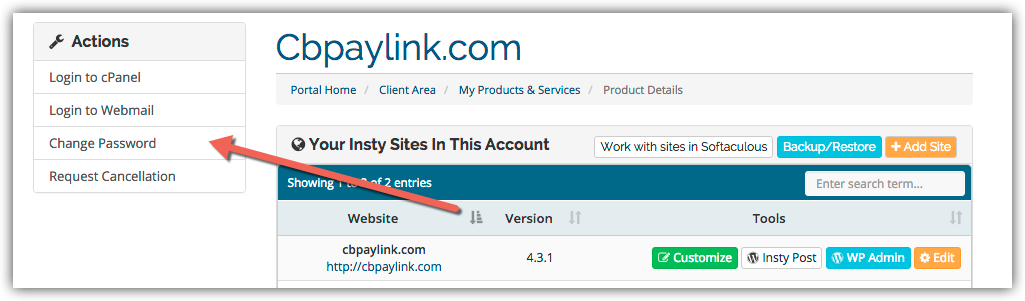
4.) The screen will scroll to the bottom. Fill in the new password, confirm and then click Save.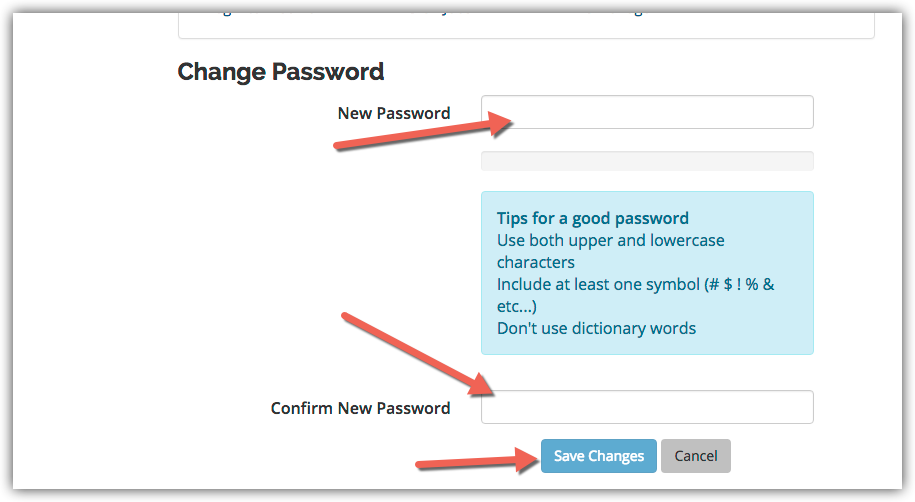
مكتبة الشروحات
Changing Your Password in cPanel
- 3 أعضاء وجدوا هذه المقالة مفيدة
هل كانت المقالة مفيدة ؟
مقالات مشابهة
Using The Index Manager in cPanel
Using The Index Manager in cPanel
Setup Hotlink Protection in cPanel
Setup Hotlink Protection in cPanel
Setup an Autoresponder in cPanel
Setup an Autoresponder in cPanel
View Your Website Stats in cPanel
View Your Website Stats in cPanel
Creating a POP Email Account in cPanel
Creating a POP Email Account in cPanel