

How to change your cPanel password
1.) Login to your Insty Client area: https://my.insty.hosting/client
2.) Select the Hosting account from the 'Your Insty hosting accounts' panel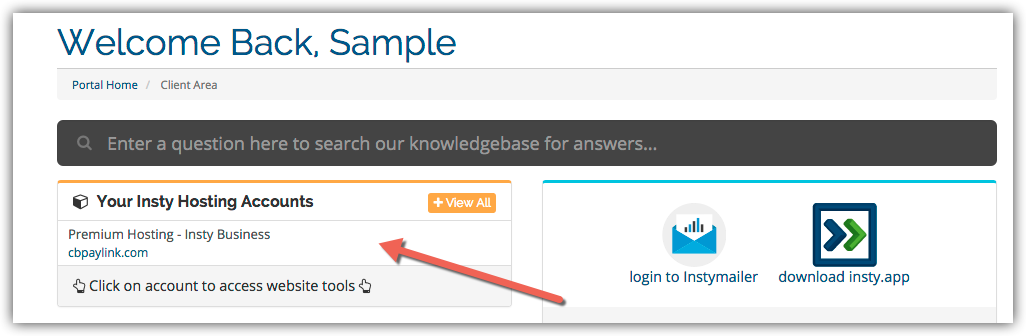
3.) In the Site tools screen, click the 'Change Password' link on the left menu.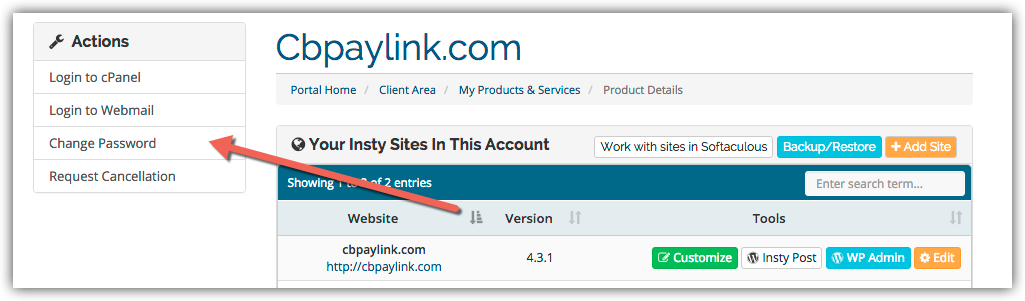
4.) The screen will scroll to the bottom. Fill in the new password, confirm and then click Save.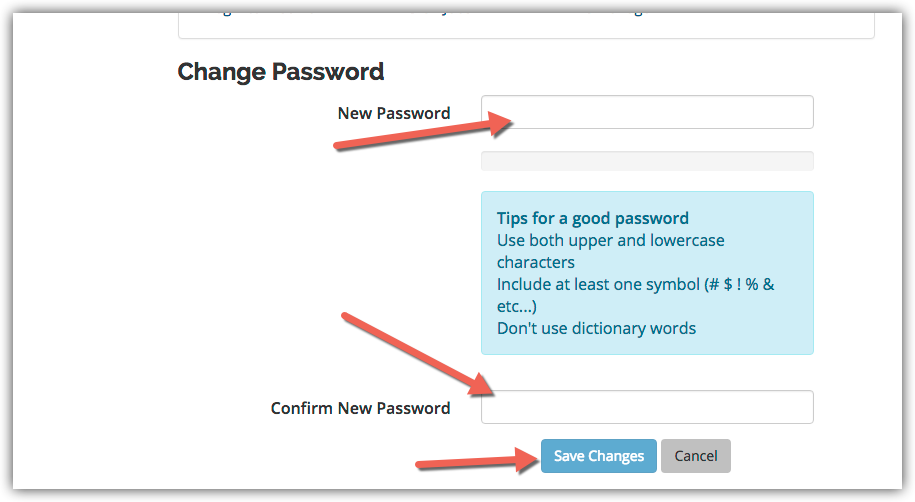
Knowledgebase
Changing Your Password in cPanel
- 3 Users Found This Useful
Was this answer helpful?
Related Articles
Setup Desktop Shortcuts for cPanel
Setup Desktop Shortcuts for cPanel
Creating Custom Error Pages in cPanel
Creating Custom Error Pages in cPanel
Setup Email Filters in cPanel
Setup Email Filters in cPanel
Update Your Contact Information in cPanel
Updating Your Contact Information in cPanel
Creating an Addon Domain in cPanel
Creating an Addon Domain in cPanel